AI-Powered Study Companion for Android
Learn Smarter, Not Harder - 100% Offline
Powered by RunAnywhere SDK - On-Device AI Inference


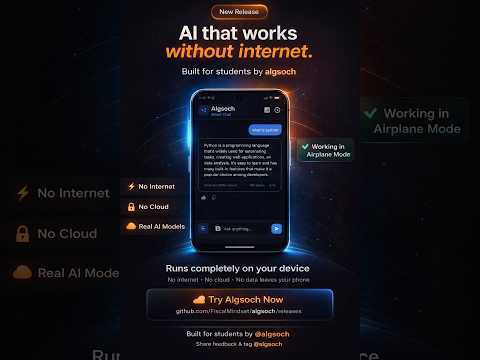
Algsoch is an advanced AI-powered study companion built with RunAnywhere SDK that adapts to your learning style. With 7 different learning modes and cutting-edge AI models (SmolLM2-360M, SmolVLM-256M) running 100% on your device via RunAnywhere SDK, Algsoch provides personalized help for any subject.
Everything works completely offline. No internet. No data uploads. No tracking. All powered by RunAnywhere SDK's on-device inference.
- All AI runs directly on your device
- No internet connection required
- Zero data uploads to servers
- Works anywhere, anytime
- Instant responses powered by optimized SmolLM2 model
- Sub-second latency
- No server delays
- Smooth, seamless experience
- Your conversations stay on your device only
- Complete ownership of your data
- Zero tracking, zero analytics
- Full encryption and data protection
- Only ~45 MB when installed
- Completely free and open-source
- Works on older Android devices
- No subscriptions, no paywalls, no hidden costs
Check out the video demo of Algsoch in action:
RunAnywhere SDK is a revolutionary framework that enables developers to deploy AI models directly on mobile devices without any cloud infrastructure.
- On-Device Inference - Run LLMs directly on Android, iOS, and other platforms
- Model Management - Automatic download, caching, and optimization
- Multiple Frameworks - Support for llama.cpp, ONNX, and more
- Privacy First - 100% offline processing, zero data uploads
- Production Ready - Enterprise-grade stability and performance
- SmolLM2 (Language Models)
- SmolVLM (Vision Models)
- Whisper (Speech Recognition)
- And more...
- ⚡ Sub-Second Latency - Instant responses
- 🔒 Zero Tracking - Complete privacy
- 📱 Works Offline - No internet needed
- 💰 No Server Costs - Device-side processing
Learn More: https://www.runanywhere.ai/
| Component | Model | Size | Function |
|---|---|---|---|
| LLM | SmolLM2-360M-Instruct | ~300MB | Advanced language understanding |
| Vision | SmolVLM-256M-Instruct | ~200MB | Image analysis & understanding |
- Framework: Android/Kotlin
- UI Framework: Jetpack Compose
- Data Storage: Local JSON Database
- Processing: 100% On-Device
- Privacy: Zero Cloud Access
- OS: Android 10 or higher
- Storage: 200 MB free space (for models)
- RAM: 1.5 GB recommended
- Network: None required for core functionality
Algsoch adapts to your unique learning style with 7 powerful modes:
| Mode | Description |
|---|---|
| Direct 💬 | Get straight, concise answers instantly |
| Answer ✓ | Focused, well-structured responses |
| Explain 📖 | Deep dive with step-by-step breakdowns |
| Notes 📝 | Formatted bullet-point study notes |
| Direction 🧭 | Problem-solving approach guidance |
| Creative 💡 | Analogies and real-world examples |
| Theory 🔬 | Advanced conceptual deep-dives |
All 7 learning modes enabled and ready to use.
-
Download APK
Download the APK file to your device -
Allow Unknown Sources
Settings → Apps & Notifications → Advanced → Install unknown apps → Select your file manager → Enable -
Install
Open Downloads folder → Tap APK → Press "Install" Installation takes less than 1 minute -
Load AI Models
⚠️ CRITICALOn first launch, tap "Load" to download SmolLM2 (~250 MB) This enables all offline learning features Takes 2-3 minutes depending on connection If download fails, it retries automatically up to 3 times -
Start Learning
Pick your learning mode and begin asking questions
Everything works completely offline!
- Mathematics, Science, Languages
- Programming, History, Economics
- Philosophy, Literature, Art
- Any subject you need help with
- Capture photos of diagrams and equations
- Upload handwritten notes
- Analyze charts and visual content
- Get instant explanations
- Full chat history stored locally
- Review past conversations anytime
- Learn from your interaction patterns
- Completely private and encrypted
- Adaptive responses based on your preferences
- Switch between 7 learning modes
- Get answers in your preferred format
- Personalized learning experience
app/src/main/
├── java/com/algsoch/
│   ├── MainActivity.kt                 # App entry point
│   ├── data/
│   │   ├── models/                     # Data entities
│   │   │   ├── Message.kt
│   │   │   └── UserPreferences.kt
│   │   └── repository/                 # Data repositories
│   ├── domain/
│   │   ├── ai/
│   │   │   ├── PromptBuilder.kt       # 7 system prompts
│   │   │   └── ResponseParser.kt       # Response parsing
│   │   └── models/
│   │       └── StructuredResponse.kt
│   ├── services/
│   │   ├── ModelService.kt             # ML model management
│   │   └── AIInferenceService.kt       # AI inference engine
│   └── ui/
│       ├── screens/
│       │   ├── HomeScreen.kt
│       │   ├── ChatScreen.kt
│       │   └── ModeSelectionScreen.kt
│       └── theme/
│           └── AlgsochTheme.kt         # App theming
└── resources/
    └── drawable/                       # App assets
- Jetpack Compose: Modern declarative UI framework
- Material 3: Latest Material Design system
- Navigation Compose: Screen navigation
- Coroutines & Flow: Asynchronous operations
- ViewModel: Lifecycle-aware state management
- RunAnywhere SDK: Powering on-device AI inference (SmolLM2, SmolVLM, Whisper)
Algsoch is completely built using RunAnywhere SDK - the framework for deploying AI models directly on mobile devices.
- Model Management: Download, cache, and manage AI models on your device
- Inference Engine: Execute SmolLM2, SmolVLM, and Whisper models locally
- Optimization: Quantized models run efficiently on mobile hardware
- Privacy: All processing stays 100% offline on your device
// MainActivity.kt
import ai.runanywhere.sdk.RunAnywhere
import ai.runanywhere.sdk.SDKEnvironment

class MainActivity : ComponentActivity() {
    override fun onCreate(savedInstanceState: Bundle?) {
        super.onCreate(savedInstanceState)

        // Initialize RunAnywhere SDK
        RunAnywhere.initialize(
            context = this,
            environment = SDKEnvironment.DEVELOPMENT
        )

        // Register models
        ModelService.registerDefaultModels()
    }
}// ModelService.kt
object ModelService {
fun registerDefaultModels() {
// Register SmolLM2 for text generation
RunAnywhere.registerModel(
id = "smollm2-360m-instruct",
name = "SmolLM2 360M Instruct",
url = "https://huggingface.co/HuggingFaceTB/SmolLM2-360M-Instruct-GGUF/resolve/main/smollm2-360m-instruct-q8_0.gguf",
framework = InferenceFramework.LLAMA_CPP,
memoryRequirement = 300_000_000
)
// Register SmolVLM for vision/images
RunAnywhere.registerModel(
id = "smolvlm-256m-instruct",
name = "SmolVLM 256M Instruct",
url = "https://huggingface.co/HuggingFaceTB/SmolVLM-256M-Instruct-GGUF/resolve/main/smolvlm-256m-instruct-q8_0.gguf",
framework = InferenceFramework.ONNX,
memoryRequirement = 200_000_000
)
}
}// AlgsochViewModel.kt
class AlgsochViewModel : ViewModel() {
private val runAnywhere = RunAnywhere.getInstance()
fun sendMessage(userMessage: String, mode: LearningMode) {
viewModelScope.launch {
try {
// Build prompt based on learning mode
val systemPrompt = PromptBuilder.build(mode)
val fullPrompt = "$systemPrompt\n\nUser: $userMessage"
// Get response from SmolLM2 via RunAnywhere
val response = runAnywhere.chat(
prompt = fullPrompt,
modelId = "smollm2-360m-instruct",
temperature = 0.7f,
maxTokens = 512
)
// Parse and display response
val parsedResponse = ResponseParser.parse(response, mode)
_uiState.value = ChatUIState.ResponseReceived(parsedResponse)
} catch (e: Exception) {
_uiState.value = ChatUIState.Error(e.message ?: "Unknown error")
}
}
}
}// ModelDownloadManager.kt
class ModelDownloadManager(private val context: Context) {
fun downloadModels(): Flow<DownloadProgress> = flow {
try {
// SmolLM2 download
emit(DownloadProgress("Downloading SmolLM2...", 0))
RunAnywhere.downloadModel("smollm2-360m-instruct")
emit(DownloadProgress("SmolLM2 downloaded", 50))
// SmolVLM download
emit(DownloadProgress("Downloading SmolVLM...", 50))
RunAnywhere.downloadModel("smolvlm-256m-instruct")
emit(DownloadProgress("All models ready!", 100))
} catch (e: Exception) {
emit(DownloadProgress("Error: ${e.message}", -1))
}
}
}// ImageAnalyzer.kt
suspend fun analyzeImage(
imagePath: String,
query: String
): String {
val runAnywhere = RunAnywhere.getInstance()
return runAnywhere.vision(
modelId = "smolvlm-256m-instruct",
imagePath = imagePath,
prompt = query,
temperature = 0.7f
)
}dependencies {
// RunAnywhere Core SDK
implementation("ai.runanywhere:runanywhere-kotlin:0.16.0-test.39")
// LLM Backend (llama.cpp)
implementation("ai.runanywhere:runanywhere-llamacpp:0.16.0-test.39")
// Vision & Speech Backend (ONNX)
implementation("ai.runanywhere:runanywhere-onnx:0.16.0-test.39")
}┌─────────────────────────────────────────┐
│ Algsoch UI (Jetpack Compose) │
│ - Chat Screen │
│ - Mode Selection │
│ - Settings │
└──────────────┬──────────────────────────┘
│
↓
┌──────────────────────────────────────────┐
│ Algsoch ViewModel & Services │
│ - PromptBuilder │
│ - ResponseParser │
│ - ModelDownloadManager │
└──────────────┬──────────────────────────┘
│
↓
┌──────────────────────────────────────────┐
│ RunAnywhere SDK Core │
│ - Model Registry │
│ - Download Manager │
│ - Inference Engine │
└──────────────┬──────────────────────────┘
│
↓
┌──────────────────────────────────────────┐
│ Local Model Backends │
│ - llama.cpp (SmolLM2 Inference) │
│ - ONNX Runtime (SmolVLM, Whisper) │
│ - Quantized Models (~500MB) │
└──────────────────────────────────────────┘
First Launch
    ↓
Check if models exist locally
    ├─ YES → Load from device storage
    └─ NO → Download from HuggingFace
    ↓
RunAnywhere SDK manages:
  • HTTP download with resume support
  • Progress callbacks
  • Cache management
  • Disk space verification
    ↓
Models ready for inference
    ↓
Instant AI responses powered by local models
✓ Zero Server Dependency - All AI processing local
✓ Sub-Second Latency - Instant responses no network
✓ Complete Privacy - No data uploads
✓ Model Management - Automatic download & caching
✓ Works Offline - Perfect for any connectivity
✓ Optimized Performance - Quantized models for mobile
Learn More: https://www.runanywhere.ai/
- Android Studio: Hedgehog (2023.1.1) or later
- Minimum SDK: API 26 (Android 8.0)
- Target SDK: API 35 (Android 15)
- Kotlin: 2.0.21 or later
- Java: 17
# Clone the repository
git clone https://github.com/FiscalMindset/algsoch.git
cd algsoch

# Open in Android Studio
# File → Open → Select the project folder

# Sync Gradle
# Android Studio will prompt to sync - click "Sync Now"

# Run the app
# Connect a device or start an emulator
# Click the Run button (▶️) in Android Studio- Size: ~300 MB quantized
- Performance: Sub-second responses
- Capabilities: Text generation, reasoning, multi-turn conversations
- Backend: llama.cpp (optimized for mobile)
- Size: ~200 MB quantized
- Performance: Real-time image analysis
- Capabilities: Image understanding, OCR, diagram analysis
- Backend: ONNX Runtime (optimized inference)
User Input → Prompt Builder → SmolLM2/SmolVLM → Response Parser → UI
(All running locally on your device)
No! Algsoch runs completely offline. All AI processing happens directly on your device. You can use it anywhere without needing WiFi or mobile data.
Never. All conversations stay locally on your device only. We don't collect, store, or upload any data. You have 100% control over your learning history.
Any subject! Math, Science, Languages, Programming, History, Economics, Philosophy, Literature, Art, and more. The AI adapts to whatever you're learning.
Yes, 100% free. Algsoch is open-source with no subscriptions, no ads, and no hidden costs. We believe education should be accessible to everyone.
Tap the Mode button in the chat interface to see all 7 learning styles and select your preferred learning approach.
Yes! Use the image button in chat to upload photos of diagrams, equations, handwritten notes, charts, or any visual content. The AI will analyze and explain what you've shared.
- App: ~45 MB
- Models: ~500 MB (SmolLM2 + SmolVLM)
- Total recommended: 200 MB+ free space
- ✅ 7 Learning Modes
- ✅ On-device AI inference
- ✅ Text-based learning
- ✅ Full chat history
- ✅ Local data storage
- ✅ Multi-language support
- 🔜 Vision/Image analysis
- 🔜 Handwriting recognition
- 🔜 Voice input/output
- 🔜 Study plan generation
- 🔜 Progress tracking dashboard
- 🔜 Multiple language support
We welcome contributions! Whether it's bug fixes, new features, or documentation improvements.
# Fork the repository
# Create a feature branch
git checkout -b feature/your-feature

# Make changes and commit
git commit -m "Add your feature"

# Push to your fork
git push origin feature/your-feature

# Create a Pull RequestAlgsoch is completely free and open-source. See LICENSE for details.

Creator of Algsoch | AI Engineer
Passionate about building intelligent, privacy-first learning tools that make education accessible to everyone.
|
📧 Email
npdimagine@gmail.com |
GitHub
@algsoch |
LinkedIn
@algsoch |
Created with dedication to making education more accessible and intelligent through privacy-first AI.
Algsoch is built on RunAnywhere SDK - an advanced framework for deploying AI models on mobile devices with zero cloud dependency.
Why RunAnywhere SDK: Enables on-device AI inference without cloud infrastructure. Perfect for privacy-first applications like Algsoch where user data never leaves the device.